

Winbox USDT Withdrawal Tutorial
Withdraw from Winbox to your own USDT (Tether) wallet in the Winbox app. Follow the 11 steps below; each screenshot shows where to tap.
- Steps
- 11
- Done in
- The Winbox app
How to Withdraw with USDT
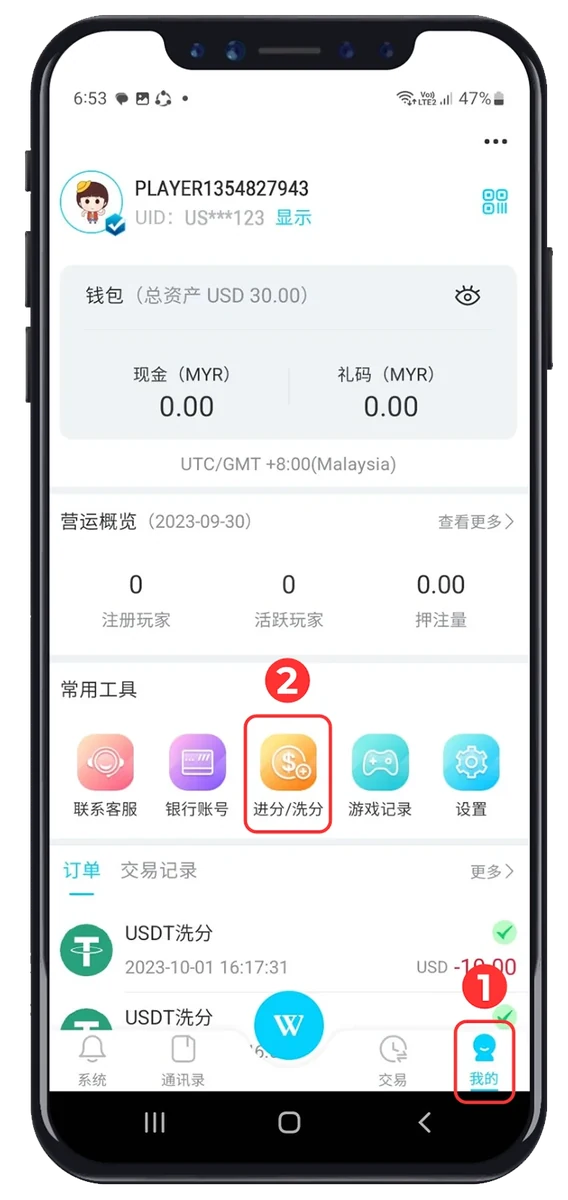
-
Tap “Me”.
-
Tap “Recharge / Withdraw”.
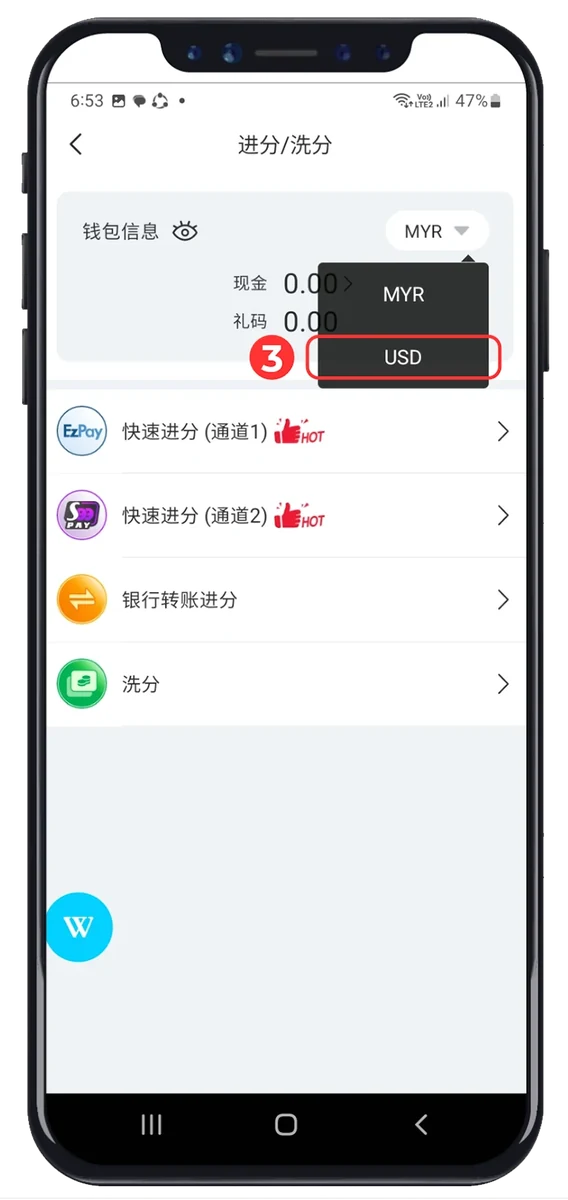
-
Tap “Switch to USD Currency”.Skip this step if your wallet is already in USD.
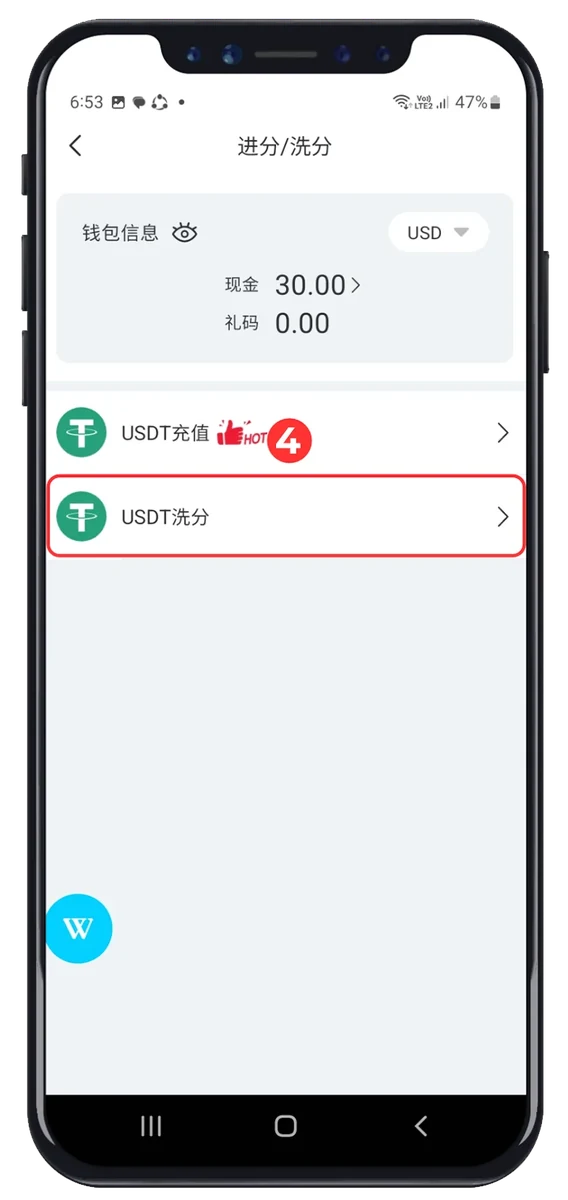
-
Tap “USDT Withdraw”.
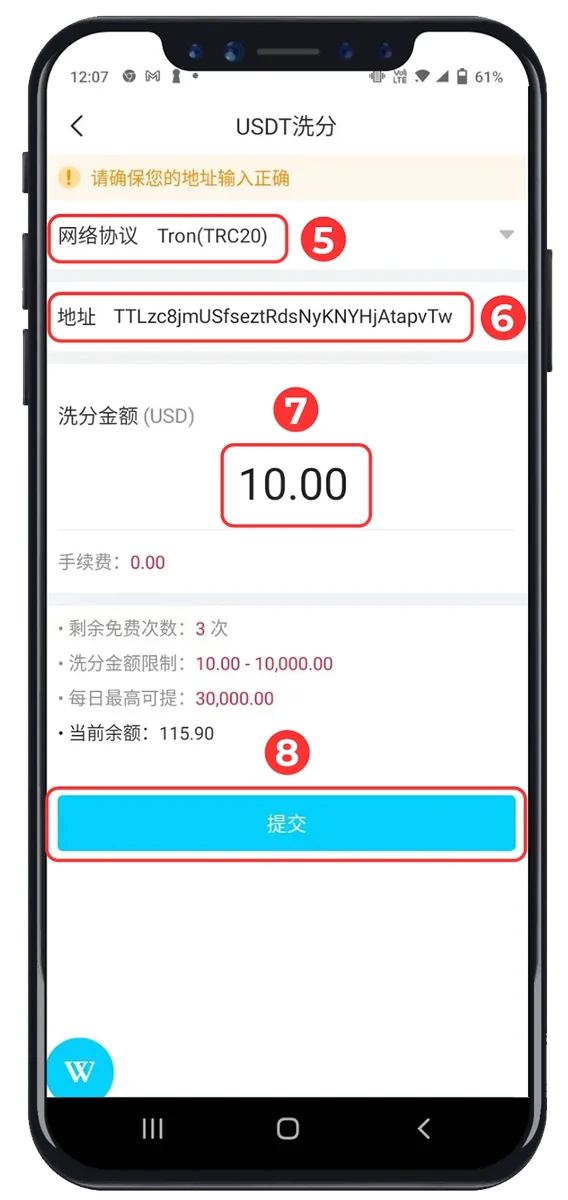
-
Select the network protocol.It must match the network of the wallet you are sending to.
-
Enter your USDT address.
-
Enter the withdrawal amount.
-
Tap “Submit”.
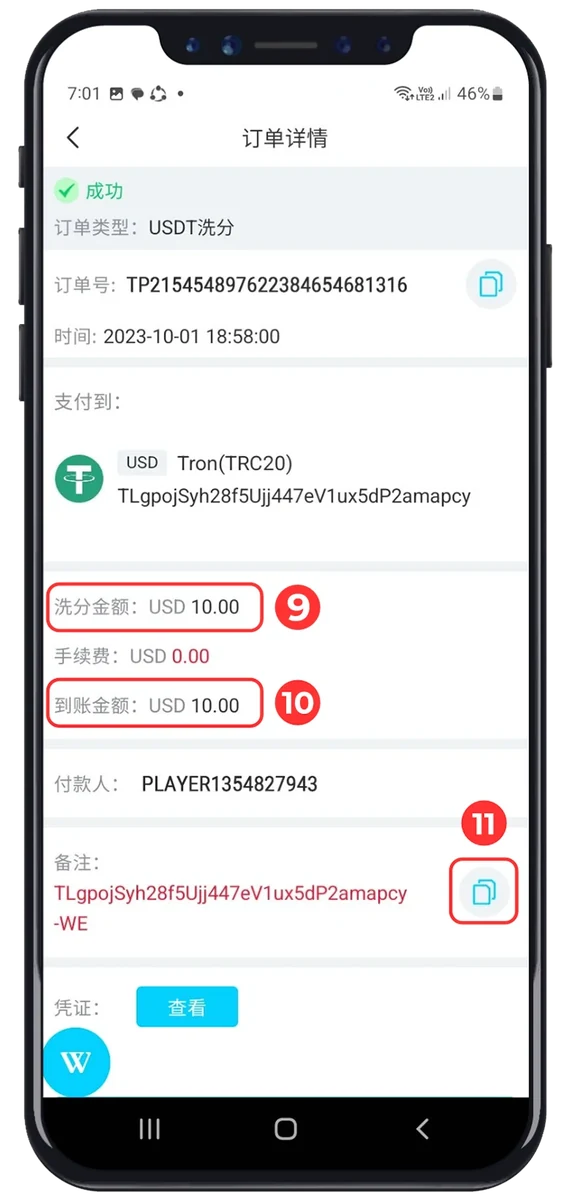
-
Check the “Chip Laundering Amount” shown for the withdrawal.
-
Check the “Credited Amount”.
-
Use the copy button under “Note” to look up the detailed record on your crypto platform.
Check the address and the network carefully before you submit. A transfer sent to the wrong address or network cannot be reversed.
Still Need Help?
Winbox customer support is online 24/7. You can also browse the frequently asked questions.