

Winbox USDT Deposit Tutorial
Top up your Winbox wallet with USDT (Tether) in the Winbox app. Follow the 12 steps below; each screenshot shows where to tap.
- Steps
- 12
- Done in
- The Winbox app
How to Deposit with USDT
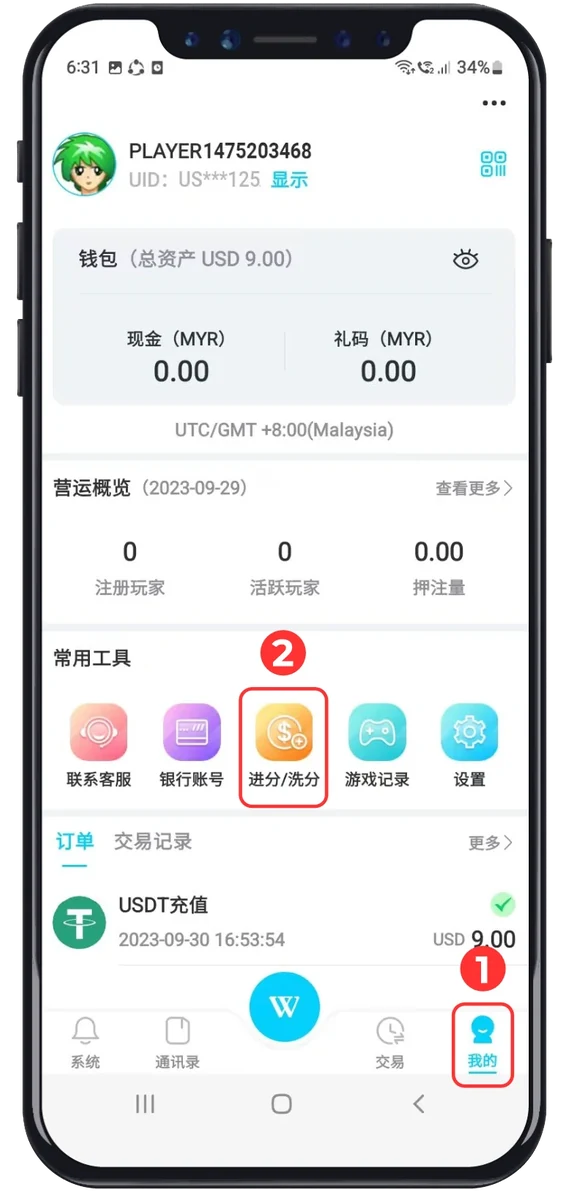
-
Tap “Me”.
-
Tap “Recharge / Withdraw”.
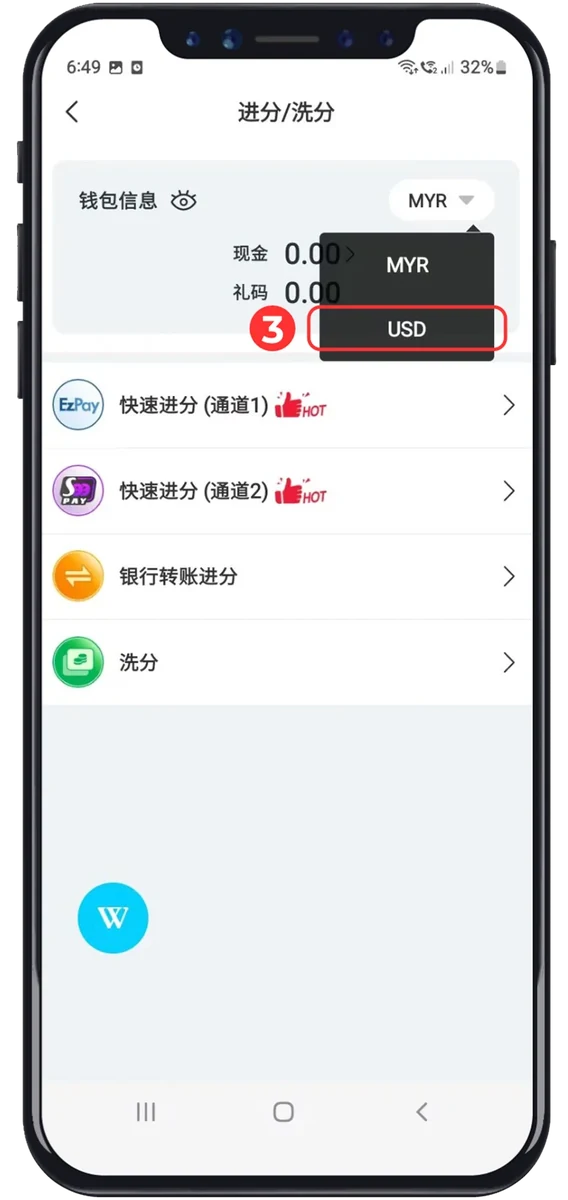
-
Tap “Switch to USD Currency”.Skip this step if your wallet is already in USD.
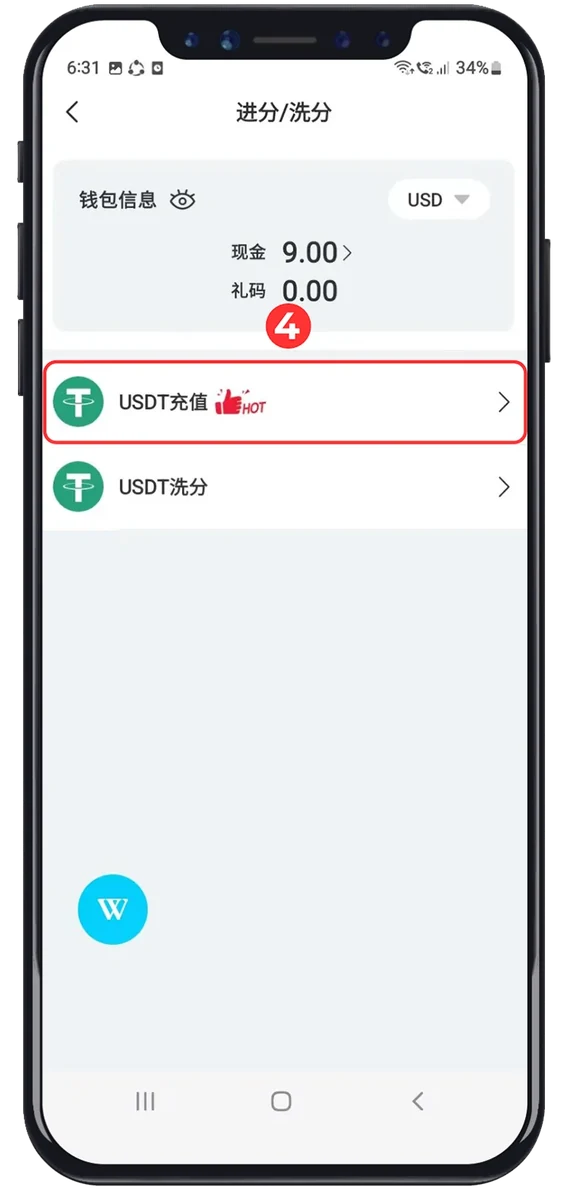
-
Tap “USDT Recharge”.
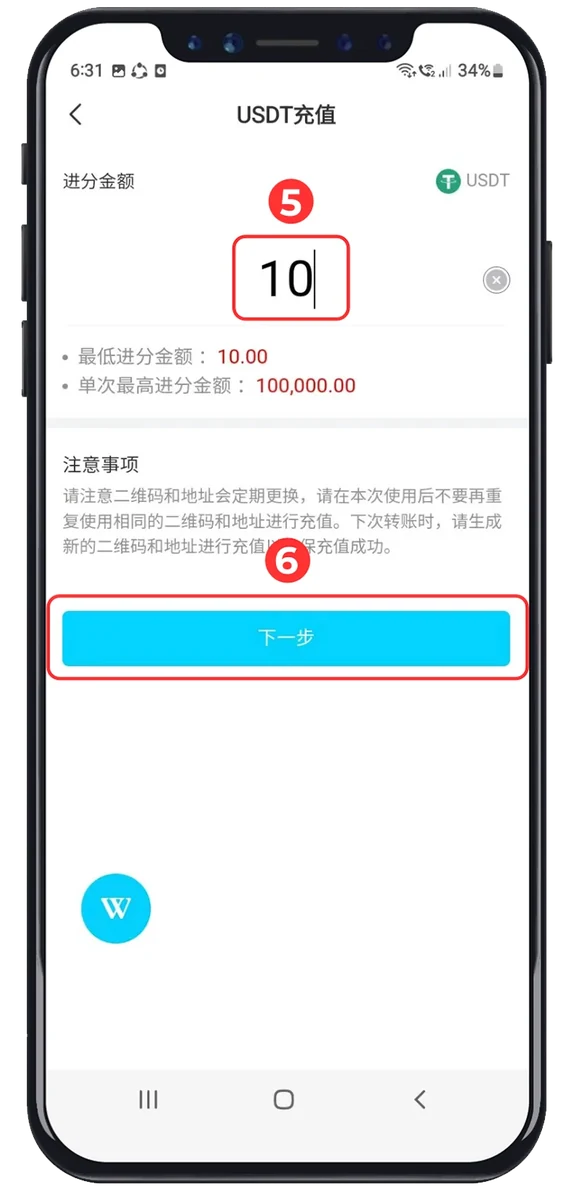
-
Enter the top-up amount.
-
Tap “Next”.
-
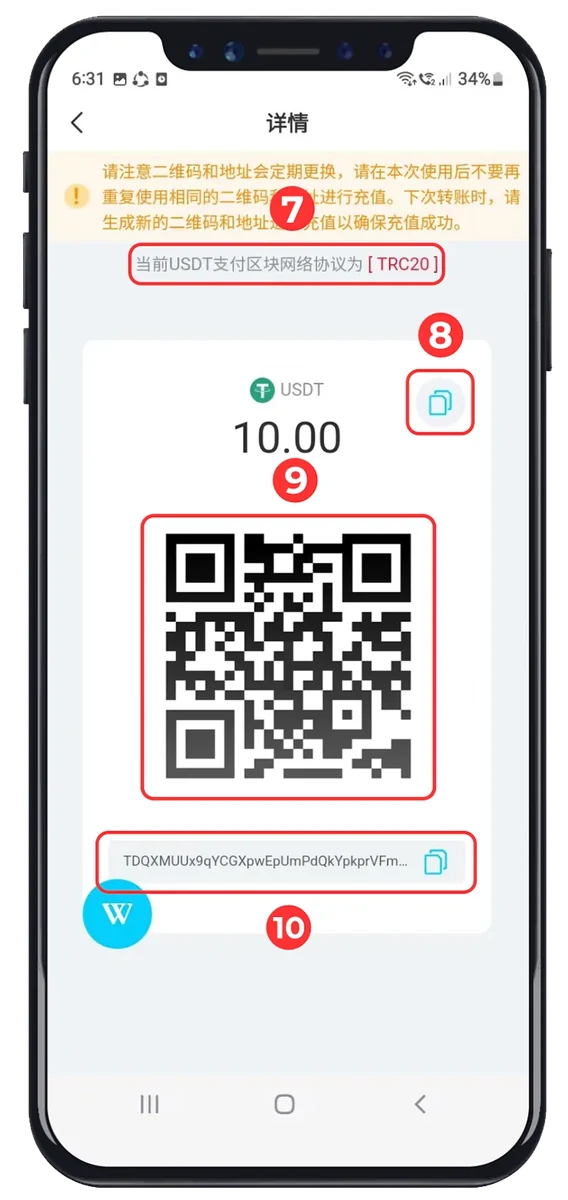
Select the payment network.Use the same network in your crypto wallet.
-
Tap the copy button beside the amount.
-
Scan the QR code with your crypto wallet or exchange app.
-
Or tap the copy button beside the USDT address and paste it into your wallet.
-
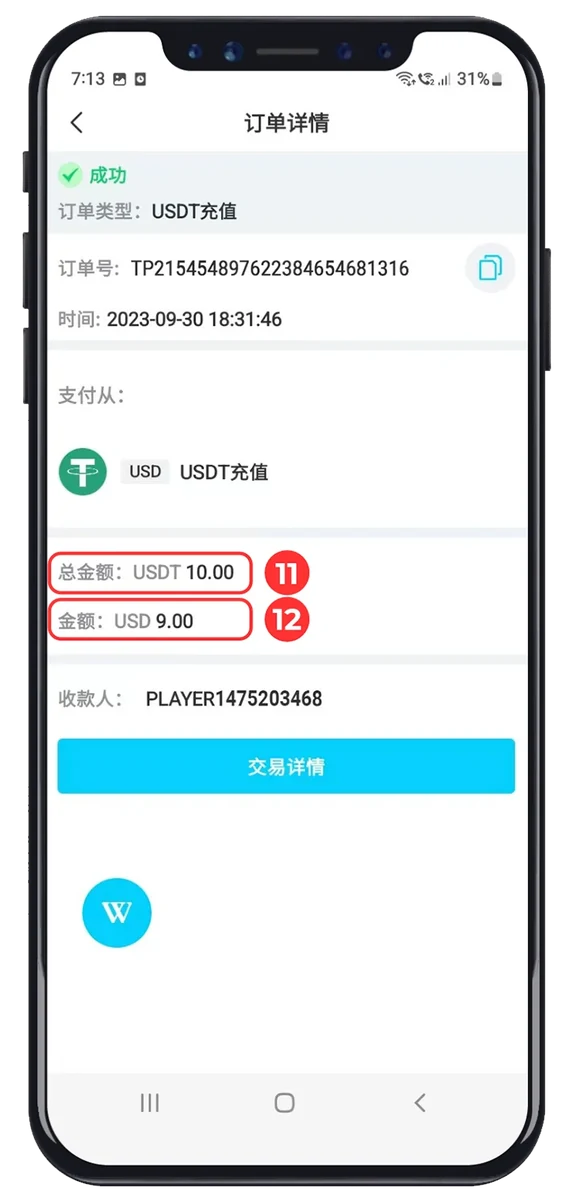
Check the top-up amount.
-
Check the amount received.
You can pay either by scanning the QR code or by copying the USDT address.
A new address is generated for every top-up, so do not reuse an old one.
Why Use USDT on Winbox?
USDT (Tether) is a stablecoin tied to the US dollar. Players choose it for deposits and withdrawals because it is:
- Fast: transfers are confirmed on the blockchain, without bank processing times.
- Stable: its value follows the US dollar, so it does not swing like other cryptocurrencies.
- Low cost: network fees are often lower than traditional payment methods.
- Borderless: it works the same in every country, with no currency conversion.
Still Need Help?
Winbox customer support is online 24/7. You can also browse the frequently asked questions.