
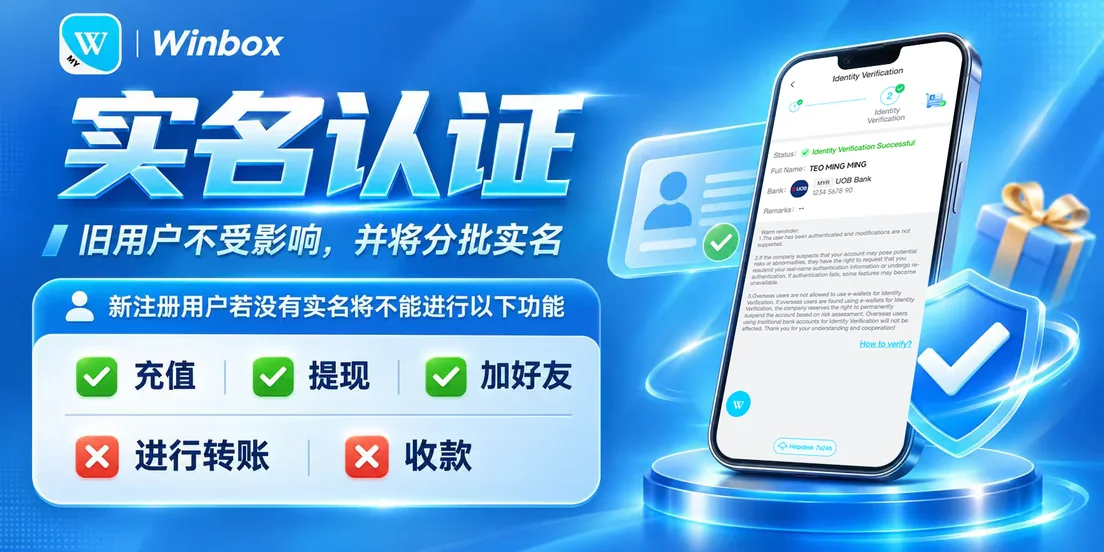
Winbox Real-Name Authentication
Real-name authentication links your Winbox UID to your own bank account. It protects your account from fraud, and it is needed before you can transfer or receive money and add friends.
- Steps
- 12
- Stages
- 3
- Done in
- The Winbox app
Identity Verification Tutorial: 12 Steps
In the Winbox app this is called Identity Verification: 12 steps in three stages. Swipe sideways on a phone, and tap a picture to enlarge it.
NoteMake the Secondary Verification Withdrawal (steps 5 to 8) before the secondary verification.
-
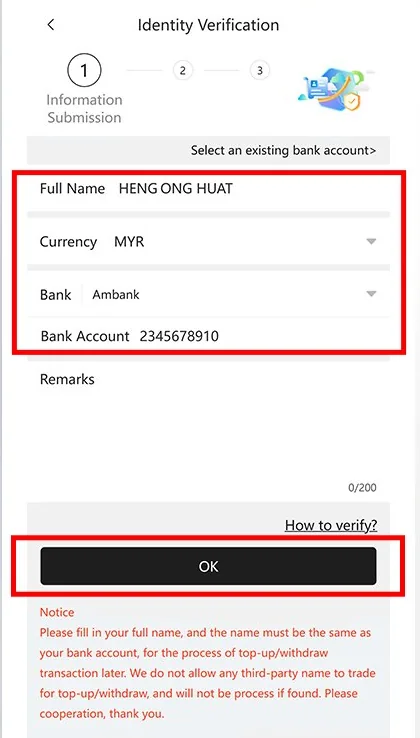
Submit your details
Enter your full name, bank and account number, then tap OK. Use the name on your bank account.
-
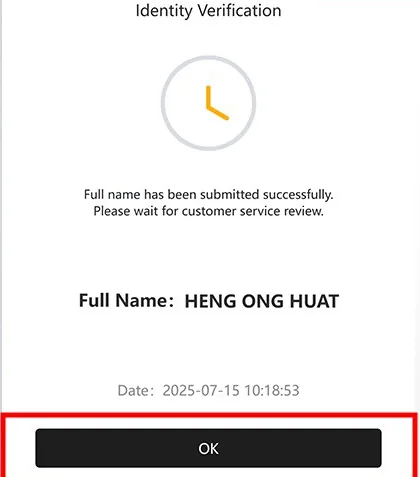
Wait for the review
Tap OK and wait for customer service to review.
-
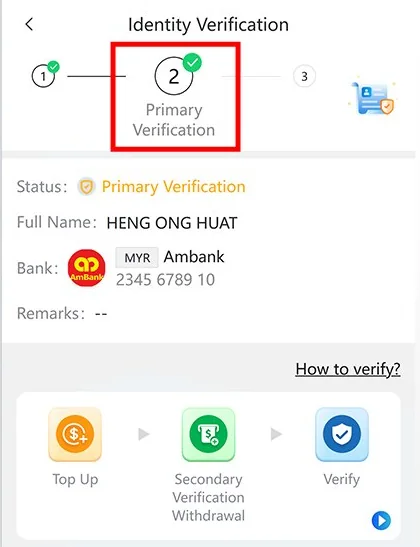
Primary verification passed
The review is passed and this stage is complete.
-
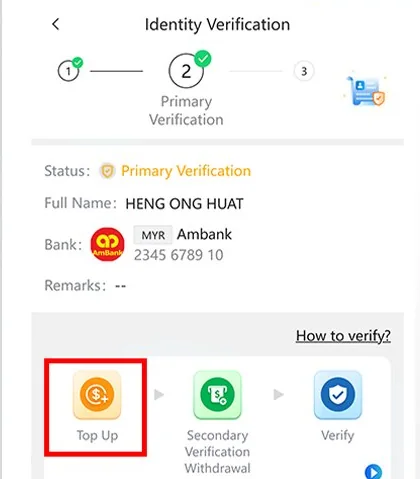
Top up
Tap Top Up, or get a balance from a friend's transfer.
-
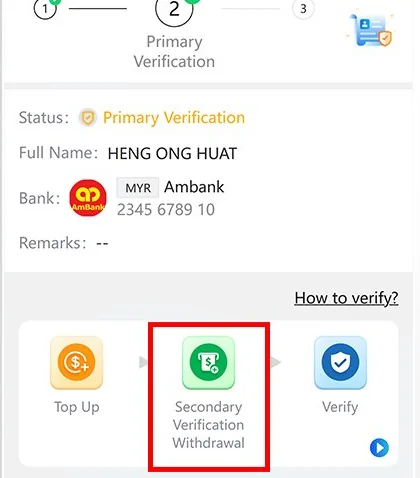
Start the withdrawal
With a balance, tap Secondary Verification Withdrawal.
-
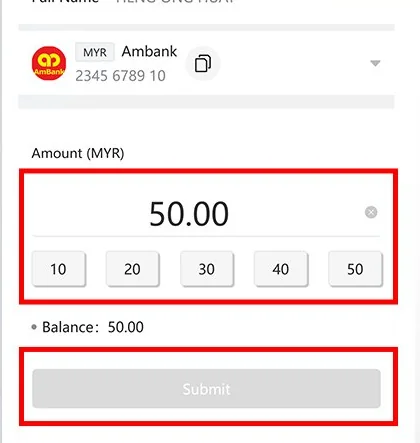
Choose the amount
Pick an amount and tap Submit.
-
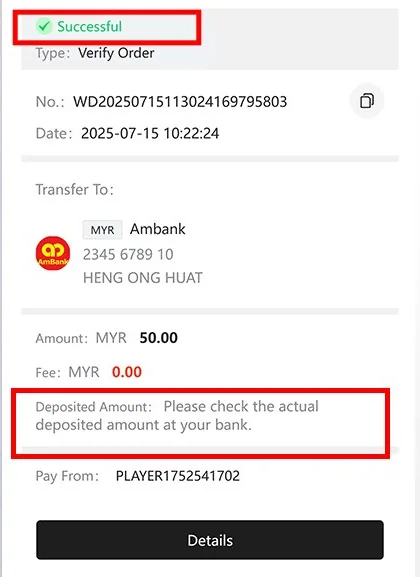
Check your bank
Look at the amount credited to your bank account.
-
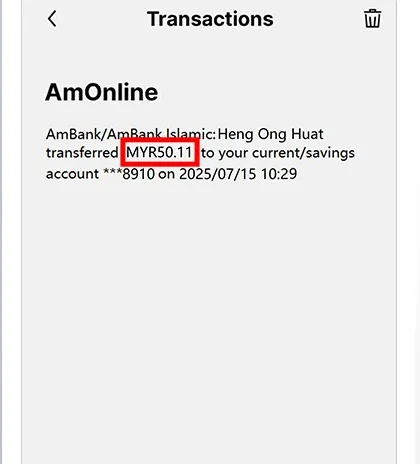
Note the exact amount
It is your withdrawal plus a small extra, e.g. MYR50.11 for 50.00.
-
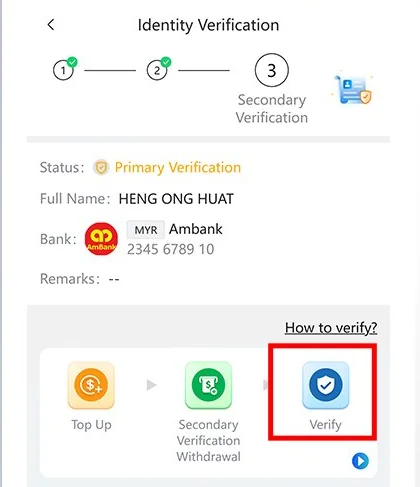
Tap Verify
Go back to Identity Verification and tap Verify.
-
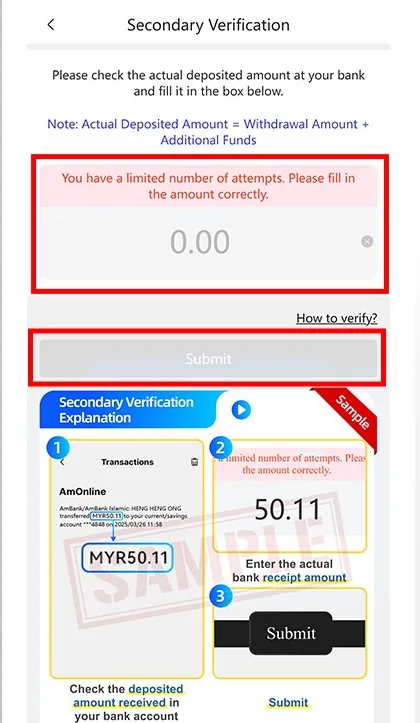
Enter the amount
Type the exact amount credited, then tap Submit. Attempts are limited.
-
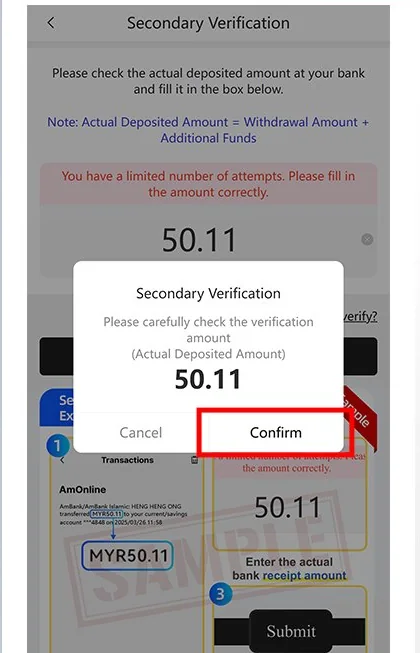
Confirm
Check the amount and tap Confirm.
-
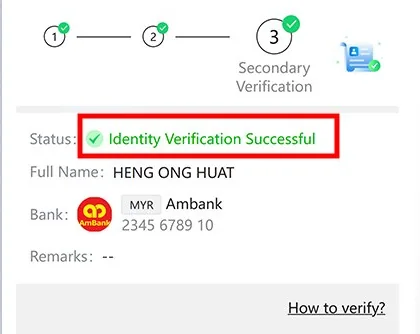
Verified
If the amount is correct, your identity is verified.
Real-Name Authentication Q&A
How many UIDs can be bound to the same bank account?
There is no limit. One bank account can be bound to any number of UIDs.
Do shareholders and members also need real-name authentication?
It is not mandatory. Without it, though, you cannot transfer money, receive money or add friends.
Is the 100 reward based on the user name or the bank account?
On the bank account. A user with five bank accounts can get five rewards, but must use five UIDs for real-name authentication.
Why is real-name authentication needed?
To stop people from using the company account for fraud.
If a customer has two UIDs, how many first recharge rewards does the same bank account get?
One. Each bank account bound to a real-name authentication gets the first recharge reward only once.
What is the minimum top-up to get the first recharge reward?
RM20.
If Player A recharges and transfers the points to Player B, can Player B withdraw after winning?
Yes.
Do I get the first recharge reward if my first recharge is by Instant Top Up or ATM Cash Deposit?
No. After real-name authentication, only a recharge by Bank Transfer gets the first recharge reward.
Without real-name authentication, must the recharge and withdrawal names match?
A bank account in any name can be used to recharge. Withdrawals can only go to the bank account most recently used to recharge.
Can I use a bank account opened in a company's name?
Yes.
How many real-name authentications can one UID have?
One. Each UID can be bound to a single real-name authentication.
Can newly registered accounts get the MYR100 reward?
Yes, as long as the account is registered through this website.
Still Need Help?
Winbox customer support is online 24/7. You can also browse the frequently asked questions.